01
Upload one source image
Choose a subject with a clear silhouette and enough visible material detail.
One consistent character viewed from front, profile, rear, overhead, low, and wide angles.
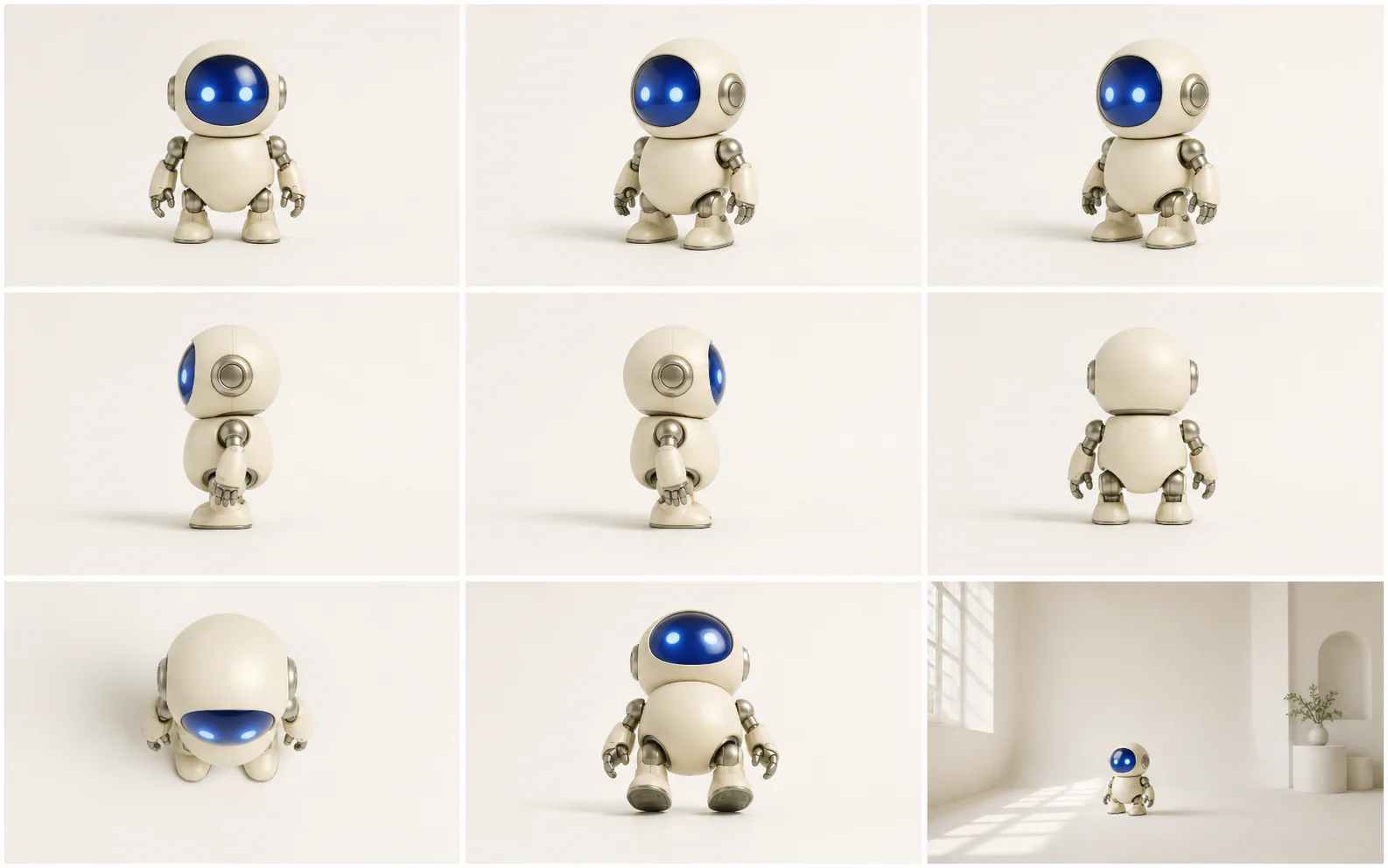
One subject, more visual coverage
Camera Control turns a single reference into a consistent angle study for storyboards, product reviews, and creative direction.
01
Move from front and profile views to overhead and low angles while keeping the same design language.

02
The generation instruction treats identity, proportions, materials, and palette as constraints rather than suggestions.

03
Use a viewpoint study to decide which angle deserves a final render, reshoot, or motion sequence.

Three-step workflow
Start with a readable source image, choose one clear viewpoint, then inspect continuity.
Choose a subject with a clear silhouette and enough visible material detail.
Set the viewpoint, shot size, and any scene-specific camera notes.
Inspect identity, geometry, perspective, and lighting before downloading.
Edit scene details, adjust wardrobe, or relight the selected viewpoint with a focused companion tool.

Describe the change in plain language, add reference images when useful, and keep the rest of the photograph under control.
Edit a photo
Upload a person first, then add garment references to build a new look without losing the model, pose, or original scene.
Change an outfit
Repair flat, harsh, or mismatched light with direct controls for direction, softness, and intensity—without rebuilding the photograph.
Fix the lightingNo. It generates a new 2D image from a requested viewpoint while using the source image as a visual constraint.
Use a sharp image with a readable silhouette, stable lighting, and minimal occlusion around the subject.
It can infer a plausible rear view, but hidden details are generated rather than recovered from the source.
Use one clear reference and avoid combining angle changes with unrelated design edits in the same request.
Yes. It is useful for shot exploration, but final production references should still be reviewed for design continuity.
Upload a subject, choose a viewpoint and framing, then turn one reference into a practical angle study.
Change the camera