Detailed 1K–4K visuals
Create product scenes, campaign imagery, and design assets with a resolution suited to the final format.
Explore Google's image model for detailed 1K, 2K, and 4K visuals, focused mask edits, consistent characters, and text-rich graphics. Browse published examples and the latest news.
Official example · Google DeepMindCreate product scenes, campaign imagery, and design assets with a resolution suited to the final format.
Mark the relevant area and describe a local adjustment, replacement, or new background.
Use references to carry recognizable characters and objects through a sequence of images.
Organize headlines, labels, and explanatory graphics within the image itself.
Features and examples
Generate detailed images, refine specific regions, carry characters across scenes, and organize text within your visuals.
Feature 01 · Image quality and resolution
Nano Banana 2.1 improves realism, materials, and visual detail with 1K, 2K, and 4K output. Create product images, campaign visuals, and detailed design assets.

Feature 02 · Mask-based editing
Masks and region markings help guide object replacements, local adjustments, and background changes. Define what should change and which details should remain.

Feature 03 · Character continuity and references
Use up to 14 reference images to guide characters, products, and settings while retaining recognizable details across changes in pose, clothing, and scene. Build storyboards and connected campaign visuals.

Feature 04 · Text and infographics
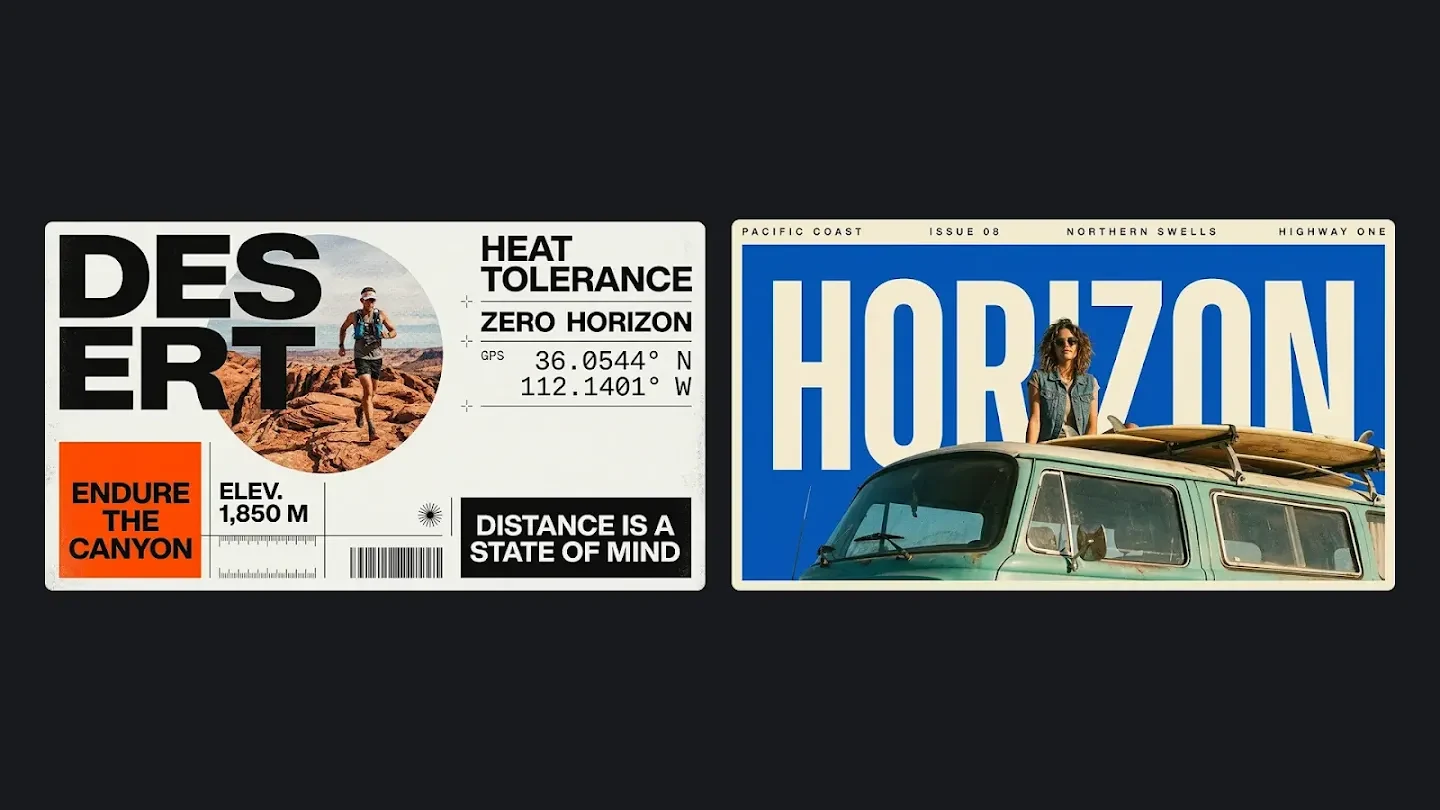
Improved text rendering and infographic layouts help organize poster headlines, product labels, and explanatory graphics. Specify exact wording and hierarchy to communicate directly within the image.
Compare creative strengths and editing workflows to choose the model that fits your image task.
2.1 updates the previous Flash image model with improvements to text layouts, visual quality, and consistency across revisions. Google recommends 2.1 for new projects, while Nano Banana 2 represents the previous Flash generation.
Explore Nano Banana 2
Google positions Pro for complex visual briefs, multilingual layouts, and brand consistency; 2.1 focuses on the latest Flash-model improvements. Both support 1K, 2K, 4K and up to 14 references.
Explore Nano Banana Pro
Nano Banana 2.1 emphasizes text-rich layouts, reference-led creation, and consistent subjects across edits. GPT Image 2.5 offers Flare for everyday creation and Sunburst for editing precision; both variants are available on Nanobana. Choose around your task and compare your own results.
Explore GPT Image 2.5
Source-linked coverage, checked on October 7, 2026. Official documentation establishes capabilities; reporting adds context.
· Google AI for Developers · documentation update
Google lists the stable model ID gemini-nano-banana-2.1, improved text and visual quality, reference-image support, and a fix for extreme-ratio stitching artifacts at 2K and 4K.
Read the original source· Google DeepMind · model card
The model card outlines intended uses, internal evaluations, and limitations. Small text, long paragraphs, character consistency, precise edits, and spatial reasoning still need careful review.
Read the original source· Google Cloud · release and specifications
Cloud documentation records general availability on October 6 and describes output resolutions, aspect ratios, and reference inputs.
Read the original source· Android Authority · Ryan McNeal
The launch report explains the announced quality and consistency changes and rollout across Google's products. It adds launch context rather than an independent benchmark of the model.
Read the original source· Search Engine Roundtable · Barry Schwartz
Coverage focuses on the AI Mode rollout in Google Search and links to statements from Google and Robby Stein. Availability can depend on the service and rollout stage.
Read the original source· THE DECODER · Matthias Bastian
A limited Flow example offers mixed impressions: the writer preferred Pro's realism in that comparison and noted scale issues in 2.1. Its pricing and lifecycle claims should be checked against current official documentation.
Read the original sourceSources checked on October 7, 2026. Both videos were published on October 6 and sponsored by OpenArt; Youri also discloses affiliate links. They share creator perspectives. Official X posts describe Google's rollout.
Youri van Hofwegen · OpenArt sponsored · affiliate links
Paul J Lipsky · OpenArt sponsored
Google · October 6, 2026: Meet Nano Banana 2.1
Google · October 6, 2026 · @Google
View original source · XRobby Stein · October 6, 2026: Nano Banana 2.1 is rolling out in AI Mode in Search!
Robby Stein · October 6, 2026 · @rmstein
View original source · XStart creating
Choose Nano Banana 2.1, describe your image, and review the result.
Write a prompt and optionally upload up to 14 reference images. Explain what each reference should contribute.
Select an aspect ratio, 1K, 2K, or 4K resolution, and JPG or PNG output. Review the credit estimate before generating.
Inspect text, faces, and product details. Use a result as a reference for another edit or download it.
Continue on the homepageNano Banana 2.1 is a Google image generation and editing model released on October 6, 2026. Google's documentation lists the stable model ID gemini-nano-banana-2.1.
Google develops the model. Nanobana is an independent creative platform offering workflows for supported third-party models. Nanobana does not develop or own Nano Banana 2.1; this page does not imply a Google partnership or endorsement.
Yes. Choose Nano Banana 2.1 in the generator for text-to-image or image-to-image creation. Sign in and review the credit estimate before submitting.
No separate Google account or API key is needed. Use your Nanobana account and available credits to generate images.
Google highlights improved visual design, realism, subject consistency, and mask-based editing. The developer documentation also lists a stitching-artifact fix for 1:4, 4:1, 1:8, and 8:1 at 2K and 4K. Small text, long paragraphs, and precise edits can still fail; review each result before publishing.
Choose 1K, 2K, or 4K in the Nanobana generator. Credit usage depends on the selected resolution and image count; check the estimate before submitting.
Google documents up to 14 reference images, consistency for up to 4 characters, and fidelity for up to 10 objects. These are provider limits. Identity and object details can still drift, so use clear references and compare each result carefully.
The hero and final call-to-action use a Google DeepMind official example. Feature and comparison images are public model examples published by Kie AI. They were not generated on Nanobana.

Start with a prompt, add references if needed, and choose the output settings for your next visual.
Try Nano Banana 2.1